
Free vs Paid AI Marketing Tools: Which One Is Worth It?

Free vs Paid AI Marketing Tools

Can a no-cost platform really match a subscription product when your team needs faster results and cleaner data? This question matters more now that predictive analytics and data-driven decisions shape strategy.

At its core, the real choice is not about feature lists but about whether a solution measurably improves outcomes while fitting your budget and pace. Small businesses often start with free plans to test channels and messaging before they commit spend.

Worth it means faster execution time, fewer manual handoffs, and more reliable analytics for decision-making. Later sections will compare automation depth, integration quality, collaboration, governance, and implementation effort to help your team decide.

Paid does not always equal higher value, and no-cost options are not always low quality. Context—team size, tech stack, and goals—determines which platform creates real, compounding efficiency gains for your business.

What “Free” and “Paid” Mean in AI Marketing Tools Today

Not all starter offerings are the same. Some are permanent no-cost versions, while others are time-limited trials that stop after a set period. Understanding those differences helps teams pick the right platform for scale and budget.

A visually striking composition illustrating free tools for AI marketing, focusing on diverse digital devices like laptops, tablets, and smartphones displaying various graph charts and analytics dashboards on their screens. In the foreground, a vibrant toolbox overflowing with icons representing free software applications, such as analytics tools and content generators. The middle ground features a soft-focus image of a modern office setting with a sleek desk and ambient lighting, promoting a creative atmosphere. The background shows a window with a cityscape view bathed in warm sunlight, symbolizing potential and growth. The overall mood is optimistic and productive, inviting viewers to explore the advantages of free tools in a professional environment.

Entry-level options and limits

Free versions include truly free products, freemium tiers, and short trials. Common constraints are caps on exports, history, seats, automation runs, watermarking, and blocked advanced features.

What paid plans buy

Paid plans typically add higher limits, reliable automation, deeper analytics, more integrations, and workflow controls for teams. Examples: Looker Studio (free with a Google account) and Power BI Desktop (free desktop). Power BI Pro adds sharing at about $14/user/month, while connectors can cost $49–$99/month.

Pricing models and surprises

  • Seat-based, workspace, and usage-based (API calls, data volume, credits).
  • Paid add-ons often unlock copilots, attribution, or advanced automations.
  • Usage models suit steady volume; add-ons can surprise budgets as needs grow.

Next: the article will compare limits, capabilities, integration needs, and operational fit to evaluate free paid options consistently.

Free vs Paid AI Marketing Tools: The Core Differences That Impact Results

Real impact is visible when automation, data depth, and integrations move work off spreadsheets and into reliable systems.

Automation and workflows across email, social, and campaigns

Paid tools often support multi-step workflows that route leads through scoring, segmented email sequences, and social scheduling. Entry tiers usually handle single-step actions and require manual follow-up.

Data and analytics depth

Basic dashboards show trends and exports. Higher-tier platforms add predictive modeling, anomaly detection, and forecasting so teams can act before results dip.

Integrations and connection quality

Integration limits are a common bottleneck. Paid plans routinely sync with CRMs, ad platforms, and warehouses, while lighter tiers force CSV exports and extra time.

Collaboration, permissions, and support

For teams, role-based permissions and version control cut rework and brand drift. Paid subscriptions also include setup help and faster support, which lowers implementation time and improves overall quality.

A visually engaging scene illustrating the contrasts between free and paid AI marketing tools. In the foreground, a sleek laptop displays vibrant graphs and analytics, symbolizing paid tools, surrounded by a glittering gold color palette. In contrast, a simple tablet rests on the side, showcasing basic charts in muted colors to represent free tools. In the middle ground, a diverse group of professionals dressed in business attire discuss and analyze these tools, reflecting a collaborative environment. In the background, a modern office space with large windows lets in soft, natural lighting, enhancing the clarity of the workspace. The mood is one of innovation and inspiration, highlighting the pivotal choices marketers face regarding tools that impact their results. The composition should have a balanced focus on both types of tools, inviting contemplation of their value without textual distractions.

When Free Tools Are “Enough” for Marketing Teams and Small Businesses

Early-stage businesses can reach real milestones without a big subscription bill. For teams with a simple funnel and few touchpoints, starter options often deliver the core functions needed to test offers, publish content, and track basic results.

Best-fit scenario: low channel complexity, a straightforward customer journey (for example, Facebook ads plus email), and a small team willing to handle light manual work. This setup keeps operations lean while you validate product-market fit.

A well-organized workspace illustrating the concept of free marketing tools for small businesses and teams. In the foreground, a sleek laptop displaying an open spreadsheet and a colorful chart, with free marketing icons like social media and email represented vividly on the screen. The middle layer features a tidy desk with various stationery items, a smartphone showing an analytics app, and a coffee cup, conveying an active and productive atmosphere. In the background, a window reveals a bright, sunny day outside, suggesting optimism. Soft, natural light streams in, creating an inviting mood, while the camera angle is slightly elevated, providing a balanced view of the workspace. Aim for clarity and professionalism, capturing an environment ripe for creative marketing solutions.

  • Publish up to ~4 blog posts per month.
  • Manage ~2 social accounts with ~12 scheduled posts per month.
  • Use baseline reporting to spot clear winners and losers without complex attribution.

Stay within common limits by batching content, reusing templates, and standardizing briefs. These habits reduce time spent on routine tasks and help the team avoid hitting caps that slow growth.

Use cases for validation: test positioning, offers, and content angles with micro-tests and drafts. Keep experiments documented so upgrades become intentional after two consecutive months of hitting limits.

Be cautious: if manual copy/paste reporting and spreadsheet stitching eat too much time, the perceived value fades. Track the hidden time cost before you commit to a paid plan.

When Paid Tools Deliver Better Value Than Free Plans

When budget and ad volume rise, measurement accuracy becomes a direct line to better ROI. At a certain scale, the cost of misattribution can exceed a subscription, so investing in better systems pays off quickly.
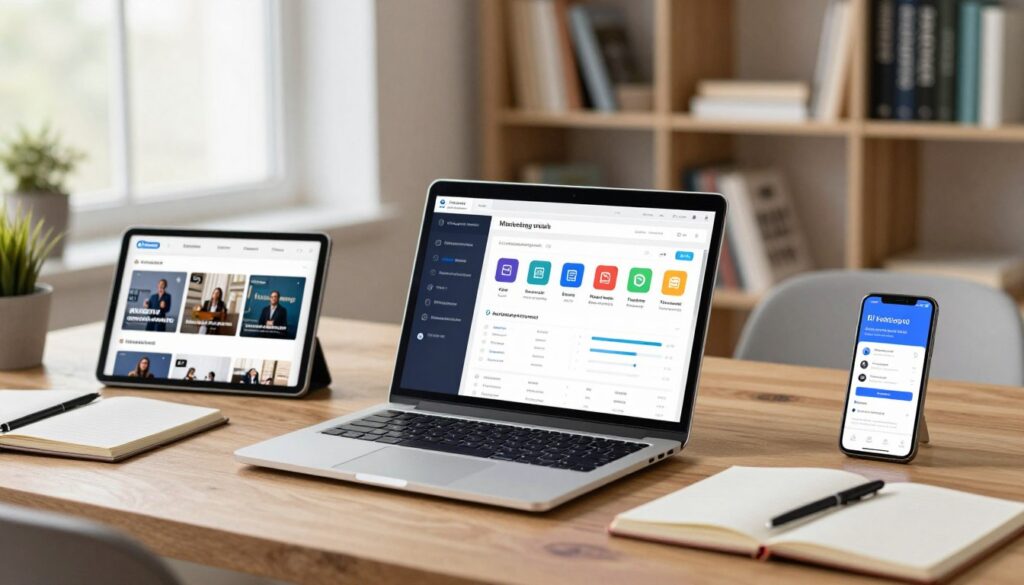
A visually engaging office workspace, highlighting several high-quality paid AI marketing tools. In the foreground, a sleek laptop displays an advanced marketing analytics dashboard, illuminated by a soft glow. Surrounding the laptop, premium tools like a tablet and smartphone show snippets of innovative marketing campaigns. In the middle, an elegantly designed wooden desk adorned with open notebooks and stationery conveys a sense of organization and creativity. The background features a lightly blurred bookshelf with business and marketing literature, creating an inviting atmosphere of learning and professionalism. Bright, natural lighting from a nearby window enhances the workspace's openness, while a gentle focus on the paid tools emphasizes their value and reliability in achieving marketing success. The overall mood is one of productivity, optimism, and strategic growth.

The tipping point: rising spend exposes gaps in basic models. Simple first- or last-click reports can misstate channel impact and lead to wasted budget.

Multi-touch attribution and campaign clarity

Multi-touch models reveal assisted conversions across channels. That prevents over-investing in last-click “closers” and starving discovery audiences.

Anomaly detection and faster ops

Automated alerts flag drops in performance, tracking failures, or creative fatigue. Faster detection shortens time-to-response and preserves results.

Forecasting, dashboards, and governance

Paid platforms provide scenario models to test budget shifts and audience mixes. Executive-ready dashboards and permission controls save the team time and reduce metric debates.

“Better measurement plus faster iteration improves campaign results and protects credibility with leadership.”

  • Better attribution reduces wasted ad spend.
  • Alerts and automation cut manual firefighting.
  • Governance features lower risk and standardize reporting.

Free vs Paid AI Marketing Analytics and Attribution Platforms

Analytics choices determine how fast teams turn raw numbers into actionable plans. Start with a simple dashboard and you may save time; choose the wrong one and you add manual stitching and delays.

A modern office setting filled with digital screens displaying colorful charts, graphs, and analytics dashboards. In the foreground, a diverse group of professionals in business attire (a woman with glasses analyzing data on a tablet, a man pointing at a screen, and another person taking notes) engages in a discussion about marketing strategies. In the middle ground, large monitors showcase intricate data visualizations and AI-driven insights related to marketing performance. The background features glass walls with city views, conveying a high-tech and professional atmosphere. Soft, diffused lighting highlights the workspace, while a shallow depth of field focuses on the analytics interfaces, creating a dynamic and engaging ambiance for understanding AI marketing tools.

Free analytics options with strong baseline reporting

Looker Studio suits Google-centric stacks and has many built-in connectors. Metabase offers an open-source, self-hosted version for teams that can manage infra. Power BI Desktop is great for individual analysis; sharing needs a Pro license.

Paid platforms built for sophisticated insights and scale

Higher-tier platforms add governance, large-volume performance, deeper segmentation, and reliable refresh automation. These capabilities reduce manual work and improve executive reporting consistency.

Attribution options for different business models

E-commerce brands often choose ThoughtMetric or Triple Whale for commerce-focused attribution. B2B with long cycles may need Adobe Marketo Measure for CRM-deep multi-touch models.

  • Be wary of connector pricing; free dashboards can become bill-heavy.
  • Pick by required integrations, attribution model needs, and reporting audiences.
  • A unified platform reduces spreadsheet stitching and speeds decisions.

Free vs Paid by Tool Category for Daily Marketing Work

Choosing the right mix of platforms shapes how fast teams can publish, measure, and iterate. This section breaks down common daily work categories so you can mix cheap entry options with subscriptions that add repeatable quality.

A vibrant workspace scene showcasing various digital marketing tools arranged aesthetically on a desk. In the foreground, there are both free tools represented by colorful icons and paid tools depicted with sleek, modern designs. The middle layer features a laptop displaying graphs and data analytics, symbolizing daily marketing tasks. The background includes a bright and airy office setting with large windows, natural light streaming in, and potted plants adding a touch of greenery. The mood is productive and inspiring, emphasizing innovation in marketing. Use soft lighting to create a warm ambiance, shot from a slightly elevated angle to capture the entirety of the workspace.

Content creation for faster drafts and a consistent voice

Entry-level options handle ideation and quick drafts. For example, Canva Free and Grammarly catch layout and grammar issues.

Paid platforms like Canva Pro and Jasper add brand kits, reusable templates, and higher output quality for teams that publish often.

SEO for research, audits, and competitor insight

Free checkers show basic rank and performance. A paid suite such as Semrush delivers deeper audits, keyword tracking, and competitor data that improve strategy over time.

Social scheduling and analytics

Light schedulers (Buffer, Later) work for single accounts and small queues. Upgrades unlock bulk publishing, multi-account queues, and richer analytics for managing varied audiences.

Email for segmentation and automation

Starter email tiers let you send newsletters. Paid tiers add segmentation, A/B testing, deliverability controls, and multi-step automation that turns messages into revenue.

Practical tip: keep entry options for testing angles and invest in paid platforms where repeatability and quality drive return on investment.

Cost, Limits, and Hidden Fees to Watch in Free and Paid Plans

A visually striking representation of "data limits" in a modern business context. In the foreground, a large, transparent data cap symbol, depicted as a semi-transparent dome, sits atop scattered digital data streams, visualized as glowing lines and circuit patterns. In the middle ground, an assortment of charts and graphs emerge, showcasing fluctuating data usage, with vibrant colors contrasting against a dark background. The background should feature a blurred city skyline to convey a sense of scale and advancement in technology. Soft, ambient lighting enhances the atmosphere, creating a professional yet dynamic mood, while the composition is captured from a slightly elevated angle to emphasize the concept of limitation and growth in an AI marketing landscape.

Connector costs and integration gotchas

Why a low headline price can rise fast: third-party connectors, required upgrade tiers for sharing, and add-on features often add monthly charges. For example, Looker Studio is free but many connectors cost $49–$99/month each. Power BI Desktop is free, yet sharing commonly needs Pro at $14/user/month.

  • CRM connectors that charge per source or per account.
  • Ad platform connectors that require paid credits or vendor fees.
  • Warehouse syncs that bill by rows or data volume.
  • Key metrics blocked behind premium features or custom setups.

Pricing models explained

Seat-based pricing grows with headcount. Workspace pricing can be cheaper for larger teams because it bundles seats. Usage-based pricing scales with volume and can spike during growth or heavy reporting.

Data caps, refresh rates, and performance

Watch row limits, refresh intervals, and slow dashboards. Stale data delays decisions and can hurt campaign response, creative rotation, and budget allocation.

Estimate true monthly cost: base plan + seats + connectors + add-ons + implementation/support. Document must-have limits for dashboards, attribution windows, exports, and governance before committing.

A Practical Decision Framework to Choose the Right Option

Start decisions with a short, measurable experiment that compares real outputs, not demos. Use a 14-day pilot that runs a single paid tool (example: Jasper) against your existing baseline. Test with actual campaigns and content so results reflect live work.

A conceptual illustration of a decision framework, featuring a visually engaging flowchart. In the foreground, include a pair of hands thoughtfully interacting with a digital tablet displaying key decision points and branching pathways. The middle ground shows a colorful infographic that contrasts free vs paid AI marketing tools, represented by icons and symbols. The background consists of a modern office setting with large windows allowing natural light to flood the space, creating a bright and optimistic atmosphere. Use a slightly elevated angle to capture the tablet and flowchart prominently, suggesting an analytical approach to decision-making. Aim for a professional, inspiring mood to reflect the importance of making informed choices in the fast-evolving world of AI marketing tools.

  • Setup — integrations, templates, and tracking in place.
  • Execution — publish, send, or run campaigns with both options.
  • Optimization — iterate once on creative and targeting based on raw data.

Measure time saved per asset, content volume, error rate, organic CTR, conversion rate, and lead completions. Track how much the new model reduces manual work and speeds review cycles.

Use a clear upgrade trigger: if you hit plan limits for two consecutive months, move to a paid plan to avoid throttling growth. Favor a hybrid stack where paid platforms form the automation spine and free options handle short testing sprints.

Final check: require clean integrations with CRM, ad accounts, and reporting. Choose based on value created (time saved + performance lift), not sticker price alone.

Conclusion

The smartest buy is the one that turns time saved into measurable growth for your team.

Use starter options to validate ideas and establish baseline reporting. Free tools can prove concepts for small businesses with simple funnels.

When scale, governance, or accuracy matter, paid tools win. They add multi-touch attribution, anomaly alerts, forecasting, and executive-ready reports that speed decisions and improve results.

Run a short pilot, measure real outputs, and apply the two-month limit rule before upgrading your plan. Track time saved, conversion lift, and reduced manual work as the core metrics.

A hybrid approach is practical: paid platforms for core workflows and reliability; entry options for testing content creation and new campaigns. Keep tooling focused on better data, clearer messaging, and consistent execution across email and audiences.


FAQ

What does "free" mean for modern marketing platforms?

Free typically refers to a no-cost tier that offers basic features, such as content templates, limited automation, and simple reporting. Many vendors use freemium models where essential functions are available indefinitely but advanced capabilities, higher usage limits, or premium integrations require an upgrade. These tiers work well for early testing and simple workflows but often cap users, seats, or monthly actions.

How do paid plans differ from limited no-cost tiers?

Paid plans expand limits, unlock advanced features like predictive analytics, multi-step workflows, and enterprise integrations, and add service levels such as onboarding and SLAs. Pricing can be per seat, per workspace, or usage-based (API calls, emails sent, ad spend tracked). Paid tiers also usually support deeper data retention and faster processing, which matters as campaigns scale.

When are low-cost or free tiers sufficient for a small marketing team?

If your stack uses a few channels, has predictable customer journeys, and you prioritize experimentation or validation, a free tier often suffices. Teams with modest email volume, simple automations, and no need for advanced attribution can stay productive without a paid plan until growth or complexity demands more power.

What signs indicate it’s time to upgrade to a paid option?

Upgrade when you consistently hit usage caps, need accurate multi-touch attribution, require automated anomaly detection or forecasting, or when governance and executive-ready dashboards become mandatory. Also consider paid plans if connector costs and integration limits start slowing operations or causing data gaps.

How do analytics capabilities compare between no-cost and paid platforms?

Basic reporting covers opens, clicks, impressions, and simple conversion metrics on free tiers. Paid platforms provide deeper attribution, cohort analysis, cross-channel funnels, and predictive models. If you need granular, near-real-time insight to optimize ad spend or forecast revenue, paid analytics typically deliver better ROI.

What should teams watch for in terms of hidden fees?

Look for connector charges to third-party systems, extra costs for API access or data exports, overage fees for data volume or message sends, and premium support add-ons. Some vendors limit refresh rates or throttle large datasets unless you pick a higher-priced tier, so factor those constraints into total cost.

How do integration and connector limits affect daily operations?

Limited connectors can break end-to-end workflows, force manual exports, and introduce delays that skew reports. Paid tiers usually offer native integrations with CRMs, ad platforms, and analytics suites, plus webhooks and robust APIs for automation. If your stack requires many touchpoints, integration depth should guide purchasing decisions.

Can a hybrid stack using both free and paid solutions work well?

Yes. Many teams use a paid tool for core functions—attribution, critical automations, or governance—and free apps for ideation, content drafting, or minor experiments. A hybrid approach controls costs while preserving agility, as long as you manage data flow and avoid fragmentation across too many disconnected apps.

How do pricing models impact scale and budgeting?

Seat-based models increase linearly with headcount, workspace fees are predictable but may hide usage spikes, and usage-based pricing ties cost to actual actions. For scaling teams, usage-based plans can lead to unpredictable bills, while flat pricing may force underutilized spend. Match the model to growth forecasts to avoid surprises.

What testing approach helps decide between a baseline and a paid solution?

Run a short pilot: compare a paid platform against your existing baseline for a defined period, measure setup time, execution, and outcomes, and set clear upgrade triggers such as two months of hitting caps. Track time saved, performance lifts, and total cost of ownership to make an evidence-based choice.

How do collaboration and permissions differ across tiers?

Basic plans often provide simple user roles and limited version control. Paid tiers add granular permissions, audit logs, approval workflows, and stronger collaboration features designed for multiple teams and agencies. If governance and auditability matter, prioritized permissions are worth the investment.

Are predictive features and forecasting only available on paid plans?

Advanced prediction, anomaly detection, and robust forecasting generally appear on paid plans because they rely on larger datasets and stronger compute. Some free tiers may offer rudimentary suggestions or trend lines, but reliable forecasts for budgeting and bidding usually require an upgraded platform.

What role does vendor support and onboarding play in the decision?

Paid plans typically include onboarding, success managers, and faster support channels. That reduces time to value and minimizes implementation risk. If your team lacks technical resources or needs quick ramp-up, the cost of professional services can justify the plan price.

How should small businesses prioritize feature needs vs. cost?

Prioritize features that directly affect revenue and efficiency: attribution accuracy, automation for high-volume tasks, and reliable integrations. Start with cheaper tiers that cover these core needs, then upgrade selectively when a clear ROI exists. Use pilots and milestone-based buys to control spending.

What are common constraints in no-cost plans that slow growth?

Frequent limits include caps on monthly sends, user seats, data retention windows, connector availability, and throttled API access. These constraints force manual workarounds, cause reporting delays, or create blind spots that hamper optimization efforts as campaigns scale.

Leave a Reply

Your email address will not be published. Required fields are marked *