





Question: Can a single platform truly cut the time you spend writing, improve open rates, and grow your list at once?
7 out of 10 marketers already use machine learning in some way, and email shows clear gains in opens, clicks, and personalization. This roundup defines what modern email software means for US teams: systems that use learning models to sharpen writing, targeting, and timing—not just rebranded automations.
We’ll give a product-focused shortlist and alternatives, with guidance for SaaS, ecommerce, creators, and small business owners. Three names keep rising in reviews and value: Encharge, ActiveCampaign, and Brevo, thanks to deep automation, smart features, and strong deliverability.
This article tests each platform on writing quality, trigger depth, segmentation using real data, lead capture, deliverability, and pricing by list size or send volume. Expect practical outcomes: faster content, smarter segments, and better send-time choices that help move contacts toward trials, demos, or purchases.
Why AI is changing email marketing in the United States right now
Competition for attention in U.S. inboxes means teams must deliver more relevant emails faster without hiring more staff. Faster campaign cycles, more channels, and higher expectations for personalization make manual approaches costly and slow.
How AI helps teams write better emails faster
Generate and iterate: Systems can suggest subject lines, rewrite intros, shift tone, and create multiple variants for A/B tests in seconds. This speeds content production and keeps quality consistent across campaigns.
Marketers save time on ideation and can run more experiments. Better writing usually means higher opens and clicks, which lifts lead conversion rates.
How personalization uses clicks, purchases, and on-site behavior
Personalization now relies on real user data: clicks, purchases, product browsing, plan type, and in-app events. Those signals power rules and behavioral segments that change offers or entire sequences.
Not just tokens: True personalization selects the right message and CTA based on behavior, not just a first name. That relevance moves subscribers toward demos, booked calls, or checkout.
How send-time optimization improves opens without guesswork
Predictive sending learns when each customer opens messages—morning, afternoon, or late night—and schedules delivery per contact. That lifts open rates without manual guesswork.
Throttling or pausing sends to disengaged users also helps deliverability. Fewer spam complaints and a healthier sender reputation protect long-term list performance.
“Smarter copy, smarter timing, and smarter targeting turn subscribers into qualified leads.”
- Faster writing and variants for testing
- Behavioral segments based on real data
- Per-contact send-time and engagement throttling

What to look for in AI-powered email marketing tools before you buy
Choosing a platform means checking real capabilities, not marketing hype—start with a tight checklist. A focused demo will show if promised features actually work and scale with your list and sales goals.
AI writing for subject lines and email content
Quality over buzzwords: confirm the writing assistant preserves brand voice, offers multiple subject line options, and suggests edits that tighten clarity. Avoid tools that output vague, hype-filled copy.
Automation depth
Look for visual workflow builders, conditional branching, and behavior-based triggers (site visits, purchases, trial events, tag changes). These features let you map real customer journeys without coding.
Segmentation, lead capture, deliverability, and pricing
Prefer live segments powered by CRM, Stripe, or Shopify events over static lists. Ensure forms, popups, and landing pages include source attribution.
- Deliverability: validation tools, bounce tracking, suppression rules.
- Pricing: check contacts-based vs volume-based plans and when advanced automation unlocks.
- Trial checklist: drag-and-drop editor + templates, workflows, landing pages/forms, segmentation, and hygiene features.
“Test two or three platforms with the same campaign and automation to compare real results.”

Best AI Tools for Email Marketing: the curated shortlist
This curated trio gives teams the quickest route to stronger automation and smarter email workflows.

Shortlist philosophy: these three platforms combine practical automation, approachable machine learning features, and solid deliverability. They are the fastest path to measurable results for most U.S. teams—no heavy engineering required.
Encharge — SaaS lifecycle automation
Why it stands out: behavior-based journeys, AI suggestions for sequences, smart segmentation, and predictive sending. Deep integrations include Stripe, Intercom, HubSpot, and Zapier.
Who it’s for: SaaS teams that need lifecycle-based flows tied to product events and trials.
ActiveCampaign — advanced automation + CRM
Why it stands out: rich automation building, CRM alignment, predictive sending, and AI-driven lead scoring to surface sales-ready contacts.
Who it’s for: teams that require complex workflows and tight sales-marketing handoffs.
Brevo — budget-friendly multichannel platform
Why it stands out: email, SMS, and WhatsApp in one plan, subject-line analysis, send-time optimization, and a strong free plan with scalable pricing.
Who it’s for: small and multi-channel SMBs that want quick setup and lower entry costs.
“Test two or three platforms with the same campaign and automation to compare real results.”
- What you get: faster setup, tested automations, and practical AI help.
- What you give up: edge-case customizations that require heavy engineering.
- Next: deeper dives will show features, trade-offs, onboarding, and when to consider alternatives like MailerLite, Klaviyo, or HubSpot.
Encharge for behavior-based SaaS email automation
For SaaS teams that map journeys to product usage, Encharge turns event signals into lifecycle automations. It’s built around real-time data so sequences fire when a user hits an activation event, upgrades a plan, or lapses in activity.
AI-powered journey builder for smarter paths
The journey builder suggests next steps based on past performance while letting teams keep full control of logic. This reduces manual setup time and speeds iteration on flows that drive sales and retention.
Smart segmentation by plan, activity, and custom traits
Segments use plan tier (Free vs Pro), feature usage thresholds, last login date, and flags like “didn’t reach activation event.” Custom traits sync from billing or product data to keep segments accurate and actionable.

Per-contact send-time learns when individual users open emails and schedules lifecycle messages accordingly. This improves open rates without increasing sends to disengaged users.
Integrations that matter for SaaS teams
Stripe, Intercom, HubSpot, and Zapier are first-class connections. They bring billing, support, CRM, and broader integrations into one platform so automations trigger from real product events.
Pricing considerations for growing subscriber lists
Plans scale by contacts and allow unlimited team members. Growth and Premium tiers cover up to ~2,000 subscribers with 10×–12× send multipliers; Enterprise handles large volumes. Model list growth and send limits to avoid unexpected pricing shifts.
“Position Encharge where product signals matter more than static lists — ideal for onboarding, activation, and expansion flows.”
- Best fit: SaaS lifecycle messaging tied to product events.
- Watch-outs: not optimized for ecommerce catalogs; feature depth has a learning curve.
- Tip: test key workflows on a small cohort to validate results before full roll-out.
ActiveCampaign for predictive sending, lead scoring, and complex workflows
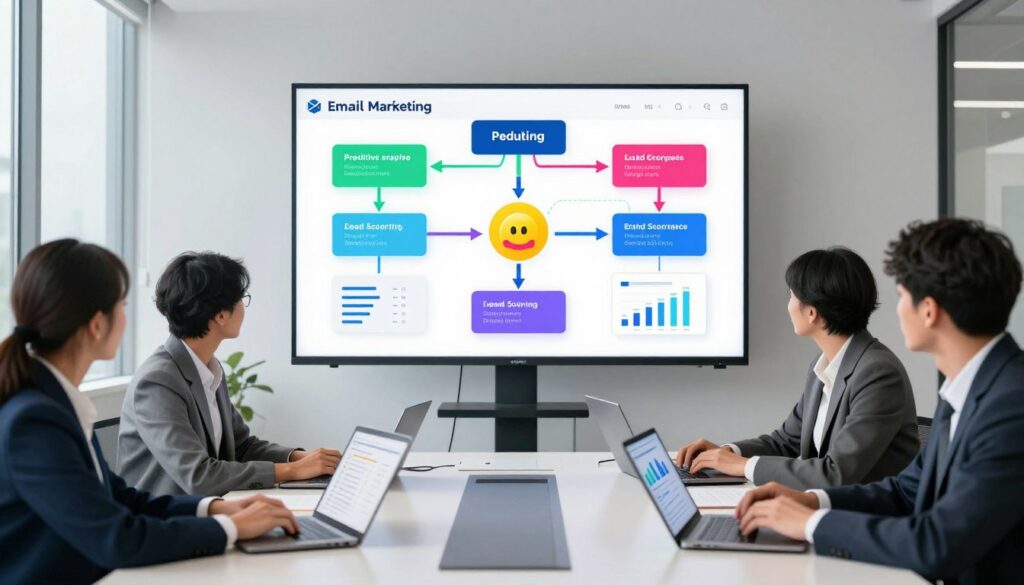
ActiveCampaign pairs predictive sending with deep automation to help teams prioritize leads and keep sales and marketing aligned. The platform uses engagement data and behavior signals to score contacts and recommend the next best content. This makes it easier to route high-intent prospects to sales and keep nurture sequences relevant.
AI-based lead scoring and readiness-to-buy signals
In plain terms: lead scoring watches opens, clicks, page visits, and purchase intent to rank contacts. Sales reps get a short list of warm leads instead of chasing low-interest users. Scores update automatically as new interaction data arrives.
Automated journey mapping for sales + marketing alignment
ActiveCampaign offers 900+ workflow templates to map handoffs and follow-ups. Teams can automate CRM tasks, tag updates, and multi-step emails so MQL and SQL definitions stay consistent.
When the interface and setup time are worth it
The interface is powerful but has a learning curve. It pays off when you run multiple funnels, products, and segments that need precise triggers and sales integration. It can be overkill for one-off newsletters.
Typical pricing tiers and what unlocks advanced features
Expect Starter at $15/mo, Plus $49/mo, Pro $79/mo, and Enterprise around $145/mo. Higher plans unlock advanced automation, predictive sending, and deeper sales features. Costs rise with contacts and more advanced capabilities.
“Build one nurture flow, one re-engagement sequence, and a lead-scoring rule set during the trial to validate value before migrating.”
- When to choose it: if automation must connect directly to sales workflows and CRM pipelines.
- Watch-outs: setup time and growing pricing as contacts increase.
- Trial tip: use the 14-day trial and a template to test deliverability and automation logic.
Brevo for email + SMS + WhatsApp with approachable AI features
Brevo combines email, SMS, and WhatsApp in one affordable platform aimed at small to mid-sized U.S. teams. It keeps setup simple and reduces the need to buy separate messaging services.

AI subject line analysis and send-time optimization
The platform scores subject lines and suggests tweaks to boost opens. Predictive send-time schedules messages per contact to cut guesswork and improve engagement.
Workflow automation templates for fast setup
Brevo includes a workflow builder with ~12 pre-built templates and roughly 40+ template options overall. These speed up lead nurturing, follow-ups, and basic cart or inquiry sequences.
Free plan limits and when to upgrade
The free plan allows up to 300 emails per day. Teams typically upgrade when they need deeper automation, predictive sending, or richer analytics.
- Why pick it: low entry pricing and multi-channel reach in one place.
- Watch-outs: fewer design templates and less ecommerce-native depth than some competitors.
- Pricing note: Starter begins around $8.08/month; Business (predictive sending) around $16.17/month; Enterprise is custom.
“Brevo is a practical choice when you want multi-channel messaging without extra subscriptions.”
MailerLite for creators and small businesses who want simple AI assistance
MailerLite strips back complexity so creators and small businesses can publish campaigns faster. It pairs a subject line generator and a writing assistant with a clean interface that helps keep content consistent across sends.
AI subject line generator and writing assistant for faster campaigns
The platform uses an AI subject line generator to speed idea testing and a writing assistant to jumpstart drafts. These features help teams produce better emails with less editing and fewer rewrites.
Smart sending, basic automation, and auto-segmentation
Smart sending offers predictive timing so small teams don’t need complex setup to send at the right moment. Basic automation covers welcome series and simple nurture flows. Auto-segmentation groups subscribers by engagement and behavior to keep broadcasts relevant.
Free plan value vs paid plan features per month
The free plan supports up to 1,000 subscribers and 12,000 emails/month. Paid plans start around $9 per month and add unlimited sends, A/B testing, more automation, and extra templates. MailerLite also includes forms, landing pages, and a website builder.
- Good fit: creators who need fast content and simple automation.
- Strengths: clean interface, strong deliverability, 90+ templates.
- Limits: fewer advanced automation branches and integrations than enterprise platforms.
Klaviyo for ecommerce personalization and revenue-focused email campaigns
Klaviyo centers on revenue-driven personalization for merchants who tie email campaigns directly to sales. Its predictive models and tight Shopify integration make it a go-to platform when product catalog and purchase data must inform every send.
Predictive lifetime value and purchase-based segmentation
Predictive LTV identifies high-value customers versus one-time, discount-driven buyers. Brands can prioritize high-margin segments and tailor offers based on repeat purchase likelihood.
AI-driven product recommendations for higher conversion
Dynamic product blocks use browsing and purchase history to show the most relevant products. This personalization raises conversion rates and average order value by promoting complementary items.
Send-time optimization for busy shoppers
Per-contact send-time learns when a customer is likely to open and act. That timing helps during promotions, holidays, and replenishment cycles when time-sensitive emails matter most.
- Why choose it: revenue attribution, product-driven personalization, and deep ecommerce tracking.
- Watch-outs: costs rise as contact lists grow; plan projections early.
- Best fit: Shopify/WooCommerce brands with enough data to power predictive models.
“Klaviyo turns purchase behavior and catalog data into measurable campaign results.”
HubSpot Marketing Hub for CRM-native personalization and lead generation
When your CRM is the source of truth, HubSpot turns contact history and deal activity into smarter campaigns. The platform links sales signals, lifecycle stages, and engagement data to personalize content and send timing across pipelines.
AI content suggestions powered by CRM insights
HubSpot analyzes CRM fields, past interactions, and activity logs to recommend subject lines, body copy, and CTAs that match a lead’s position in the funnel. Suggestions use recent touchpoints so messages feel timely and relevant.
Lead scoring patterns that support sales handoffs
Define score thresholds that mark contacts as “ready for sales.” Automate alerts, task creation, and lead routing when scores cross those thresholds. That reduces manual follow-up gaps and speeds response times.
Budget reality: contacts, seats, and onboarding costs
HubSpot scales quickly but so do costs. Starter begins near $20/month per seat with 1,000 marketing contacts. Professional is about $890/month (2,000 contacts + 3 seats) and often requires annual billing plus roughly $3,000 onboarding. Enterprise runs around $3,600/month (10,000 contacts + 5 seats) with onboarding near $7,000.
“HubSpot is ideal when CRM, sales, and service tooling will all live in one platform.”
- When to pick it: your business uses CRM data as the system of record and needs tight sales-marketing alignment.
- When to skip it: you only need a simple sender—costs and seats can make HubSpot inefficient.
- Trial checklist: test one lead-capture form + landing page, one nurture workflow, and one sales handoff to validate pipeline impact.
GetResponse for “all-in-one” marketing: email, landing pages, and webinars
GetResponse packages email, landing pages, and webinar hosting into a single platform that reduces vendor juggling. Teams get a unified way to build funnels, capture registrations, and run follow-up sequences without stitching several systems together.
AI email content generation for rapid campaign production
Writing features include an email content generator that speeds drafting and iteration. Marketers can produce multiple versions of emails and subject lines faster, which helps when promoting webinars or frequent offers.
Predictive segmentation and behavioral targeting options
Predictive list segmentation groups contacts by engagement, clicks, site behavior, and funnel stage. That lets teams send more relevant follow-ups to registrants, attendees, or no-shows.
Best fit for teams that want funnels and webinars in one platform
Workflows support registration confirmations, reminder sequences, attendee vs no-show branching, and post-webinar nurture to conversion. This makes it easier to move leads from sign-up to purchase without manual handoffs.
- Plans: Free (limited), Starter (~$19/mo), Marketer (~$59/mo), Creator (~$69/mo), Enterprise (custom).
- Pricing note: automation and behavioral features appear in mid-tier plans; the free plan excludes tagging and advanced automation.
- Good fit: marketing teams that run funnels and webinars regularly; less ideal for ecommerce shops that need deep store-native personalization.
“GetResponse is a consolidated way to run funnels, landing pages, and webinar sequences without adding more vendors.”
Drip for ecommerce automation tied to store behavior
Drip positions itself as a revenue-focused ecommerce platform that turns store events into automated campaigns. It listens to cart, browse, and purchase signals so your sequences fire when they matter most.
Cart abandonment and post-purchase flows built for revenue
Use cart reminders that trigger minutes or hours after abandonment to recover near-term sales. Post-purchase flows handle cross-sell offers, replenishment timing, and win-back sequences to drive repeat orders.
AI-powered product recommendations and dynamic segments
Product recommendations use browsing and purchase data to show relevant items inside emails. Dynamic segments update automatically as customer behavior and data change, keeping messages timely and personal.
Operational notes: Drip includes unlimited sends, which helps when you email often. Pricing starts at about $39/month for 1–2,500 contacts, includes a 14-day trial and up to 50 workflows, and scales as lists grow. Integrations with Shopify and WooCommerce make setup straightforward.
“Position Drip when store behavior triggers are central to your email strategy.”
- Good fit: brands with enough traffic and SKU variety to make behavior personalization pay off.
- Watch-outs: no built-in SMS; not a CRM replacement for sales-led teams; pricing rises with contact count.
- Tip: test cart and post-purchase flows on a high-traffic segment to measure results before full roll-out.
Sender.net for low-cost automation with beginner-friendly AI support
Sender.net is a value-first option for U.S. small businesses that want practical automation without complex setup. It combines simple workflow builders, behavioral segmentation, and quick coaching features so teams can publish better emails faster.
Subject line scoring and predictive delivery timing
Subject line scoring gives quick feedback before you send. Newer marketers get a coaching layer that flags weak phrasing and suggests clearer options.
Predictive delivery timing schedules sends per contact to improve opens. Instead of one blast time, the system shifts delivery based on recipient behavior to lift engagement.
Free plan strengths and scaling limitations
The free plan supports up to 2,500 subscribers and 15,000 emails/month with Sender.net branding. It’s ideal to validate a list-building offer, run a welcome sequence, or send simple newsletters at low cost.
Paid plans start around $7/month and remove branding while adding higher send volumes. Still, design tools are basic and integrations are limited compared to larger platforms.
“Great as an entry-level option: low pricing and straightforward automation let small teams move faster without heavy training.”
- Good fit: small business users who need low-cost automation and simple features.
- Limits: fewer integrations, limited testing, and basic templates can bottleneck growth.
- Upgrade rule: move to a more advanced plan when you need deeper automation logic, richer reporting, or polished brand control.
Kit (formerly ConvertKit) for creators prioritizing audience growth
Kit focuses on creators who want reliable subscriber growth without a steep learning curve.
Creator-first design: Kit centers on tagging, visual flows, and simple automation so you can publish and monetize without heavy setup.
How “smart without heavy AI” works: rules trigger from link clicks, form signups, and tags. Basic personalization and sequences deliver relevant content without complex models.
When simplicity beats feature overload
Choose Kit if you value speed and reliability over advanced logic. The free Newsletter plan supports up to 10,000 subscribers with limited automation.
Paid plans start near $25/month for Creator and around $50/month for Creator Pro. Pricing is straightforward and aimed at creators who ship often.
- Strengths: dependable tagging, clear automation, landing pages and subscriber monetization.
- Trade-offs: fewer templates and less complex automation than enterprise platforms.
- Decision tip: pick Kit to stay lean and publish consistently; switch when you need deeper segmentation, testing, or multi-channel reach.
“Ship more, worry less: Kit keeps audience growth simple and focused.”
Other strong email marketing platforms to consider if you need different options
If the shortlist misses a use case, these platforms cover ecommerce templates, transactional delivery, low-cost automation, and newsletter monetization.
Omnisend — ecommerce templates and fast workflows
Why it stands out: 350+ templates and pre-built workflows let teams launch abandoned cart, welcome, and lifecycle sequences quickly.
Choose this if: you need ecommerce-focused templates and quick deployment for promos and cart recovery.
Mailjet — unlimited contacts and transactional delivery
Why it stands out: volume-based pricing, built-in email validation, and SMTP/API transactional support suit dev-led stacks.
Choose this if: you need unlimited contacts, strong validation, and reliable transactional email capabilities.
Moosend — low-cost automation with advanced triggers
Why it stands out: single-tier pricing, 25+ triggers, and web tracking give advanced automation without tiered plans.
Choose this if: you want sophisticated automation at a budget price and a 30-day trial to test flows.
beehiiv — newsletter publishing and monetization
Why it stands out: AI editing, audience growth features, and built-in monetization for ads and paid subscriptions.
Choose this if: your priority is newsletter revenue and creator tools; paid plans start near $43/month with a free tier up to 2,500 subscribers.
“These options give a practical bench when the main shortlist doesn’t match your channel mix or list size.”
- Templates and workflows: Omnisend (ecommerce)
- Transactional and deliverability: Mailjet (SMTP/API)
- Low-cost automation: Moosend (advanced triggers)
- Publisher monetization: beehiiv (AI editing + paid subscriptions)
How to choose the right tool for your business goals and team workflow
Start with outcomes, not shiny features. Define the single result you need most: trials-to-paid, higher AOV, or steady subscriber growth. That goal will guide which automation and reporting features matter.
Match platform capabilities to your use case:
Match platform capabilities to your use case: SaaS vs ecommerce vs creators
Choose a platform built around your model. SaaS platforms should favor event-driven journeys and lead scoring. Ecommerce needs product recommendations, revenue attribution, and cart recovery. Creators benefit from simple lists, landing pages, and fast editorial flow.
Evaluate the “time saved” by automation vs onboarding time
Estimate how much time AI or automation will cut from content and scheduling. Then subtract the hours needed to onboard, map integrations, and maintain workflows. If onboarding takes longer than the time saved in three months, the net benefit is low.
Run a trial using real campaigns: templates, writing, automations, and reporting
Run a short pilot with live assets. Import a small, representative list, build one landing page, create one sequence, and test a behavior-triggered automation. Use the same creative across platforms to judge speed and ease.
Decide based on results: opens, clicks, conversions, and pipeline impact
Measure outcomes that match your goal. For SaaS track trials-to-paid and sales handoffs. For ecommerce track AOV and repeat purchase rate. For newsletters track subscriber growth and retention. Prioritize platforms that show clear, short-term lifts in these metrics.
“Pick the platform that improves a real metric during a short pilot—not the one with the longest feature list.”
- Decision framework: align use case → required features → pilot plan → measured results.
- Report needs: ensure the tool exposes conversion events, revenue attribution, or pipeline influence.
- Final pick: choose the option that delivers measurable results quickly and keeps ongoing maintenance low.
Conclusion
The practical wins are clear: faster copy, smarter segments, and better timing lift results. Most U.S. marketers now use learning models, and the biggest gains in marketing come from reduced manual work and real behavioral data driving personalization and send-time choices.
Shortlist recap: Encharge fits SaaS lifecycle automation; ActiveCampaign excels at advanced automation, CRM alignment, and lead scoring; Brevo gives low-cost multi-channel messaging. Choose the platform that matches your process and capacity to adopt it.
Watch pricing per month as contacts grow. Verify which plan unlocks predictive sending, automation depth, and the features you need. Then run a time-boxed trial, ship one real workflow, and pick based on clicks, conversions, and pipeline impact.

Other Articles

How Businesses Are Using AI Marketing Tools to Grow Faster
How to Use AI Tools for Social Media Marketing Effectively