







“In God we trust. All others must bring data.” — W. Edwards Deming. That line sets the tone for modern marketing, where speed and scale matter more than ever.
In 2026, “AI Tools for Content Marketing” means practical platforms that plug into real workflows. Big brands like Shopify, Instacart, and Airbnb use these systems internally to move faster and act on data at scale.
This roundup focuses on products used in the real world, not hype. You will get quick ways to compare options and see which ones suit US marketers, content leads, and SEO teams.
What these platforms do: layer large language models onto existing workflows to speed drafting, research, optimization, repurposing, and reporting. We cover core assistants, SEO optimizers, writing and editing, detection and risk, automation, research, creative, video/audio, distribution, and analytics.
Remember: these tools boost productivity, but human review is required for accuracy, brand voice, and compliance—especially on SEO-sensitive pages and regulated industries.
Why AI is reshaping content marketing and SEO in 2026
Speed and data have rewritten how teams work. More than 75% of marketers now use machine-driven systems to gather competitor, trend, and customer data that was once slow to collect. A typical 500-word blog can take four hours to finish without this help; systems cut that time and raise output.

How teams use automation to gain time and insights
Marketers lean on these platforms for sentiment analysis, competitor intelligence, and rapid creative iterations. That accelerates research and drafts, letting teams focus on editing, UX, and distribution.
Why human judgment still matters
Systems speed work at scale—publishing across blog, social, and email without adding headcount. But they can hallucinate, cite outdated facts, or drift in tone.
Practical guardrail: treat systems as accelerators for drafts and analysis, not autopilots. Keep final review in-house to protect accuracy, brand voice, and search rankings.
What to look for when choosing AI marketing tools
Before you buy, define what success looks like: speed, accuracy, search impact, and governance. That checklist guides purchasing and rollout decisions for teams and budgets.
Quality and originality: Evaluate coherence, factual reliability, and whether output reads like natural language or needs heavy rewriting. Run plagiarism and detection checks to avoid originality risk and keep editorial standards high.
SEO capabilities: Check keyword research depth, SERP-based recommendations, and how clearly the tool scores and explains improvements. Note that Surfer SEO scores pages on keyword density, readability, length, headers, and links and integrates with Google Docs, WordPress, and Jasper.
Brand voice and reuse: Look for style guides, approved terminology, reusable snippets, and the ability to train voice from real brand examples to keep messaging consistent across teams.
Integrations, workflows, and privacy: Confirm publishing paths to WordPress and Google Docs, connectors to Notion, Slack, and Sheets, and automation for handoffs. For US teams, verify data handling — encryption, opt-in model for model training (Notion notes encryption and opt-in training), access controls, and SOC2 or enterprise compliance.

AI Tools for Content Marketing that cover the full funnel
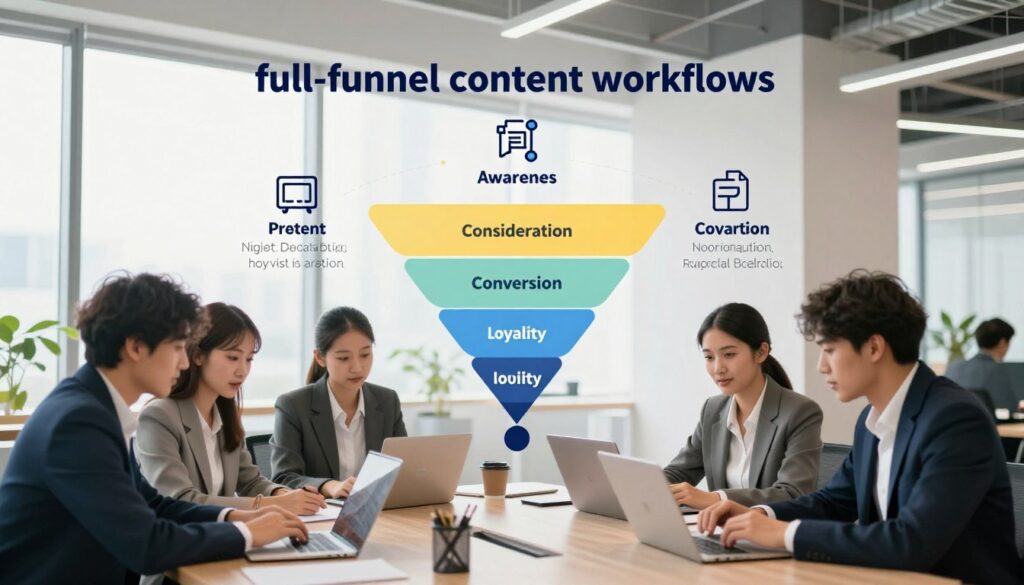
A full-funnel approach maps every step from brainstorm to share, so teams can match tools to specific work.
Ideation and briefing
Speed up ideas and outlines: use topic clustering, audience angles, and competitive inputs to build tight briefs fast. This cuts research time and gives clear directions to writers.
Content creation across channels
Drafts should be tailored for blog posts, social media, and email. Channel formatting and CTA clarity still need human review.
Optimization and publish
Treat seo as its own stage. Use scoring and SERP-driven recommendations to align drafts with ranking pages before you publish.
Repurposing and measurement
Turn a long blog into short video scripts, thumbnails, and platform-specific posts with tools like Midjourney and Crayo. Track performance and iterate—volume alone won’t move the needle.
“Measure everything; iterate quickly.” — a practical rule for teams that want consistent improvement.
Core LLM assistants for ideation, drafting, and research
Core language assistants sit at the front of the writing workflow. They turn quick ideas into usable drafts, outlines, and summaries. Teams use them for fast ideation, lightweight research, and initial rewrites before moving to specialized SEO platforms.

GPT-4 and ChatGPT
GPT-4 is multimodal and reads more naturally than prior versions. ChatGPT stays conversational and handles follow-up prompts. Use iterative prompting: ask for an outline, request three headline options, then refine tone to match brand voice.
Bard’s edge
Bard pulls real-time data and gives fresh context on breaking topics. That helps with timely briefs, but always verify sources and facts before publishing.
Merlin in the browser
Merlin condenses ChatGPT-like capabilities into a browser extension. It summarizes pages, extracts key points, and drafts short replies without switching tabs—saving precious time and giving quick insights on the page you are reading.
Practical prompts: “create a brief,” “suggest CTAs,” “rewrite for clarity,” “generate meta descriptions.” Remember: assistants can be wrong. Validate facts, cite sources, and avoid pasting output verbatim for YMYL topics.
SEO content optimization platforms that help you rank
Modern on-page platforms guide writers with SERP-driven signals and measurable suggestions.
What sets an optimization platform apart is SERP-based guidance, clear on-page recommendations, and live scoring that maps to ranking factors. These systems focus on measurable actions rather than only generating drafts.

Surfer SEO: real-time on-page recommendations and integrations
Surfer SEO scores content by keyword density, readability, length, headers, and more. Users pick a niche and audience, get outline suggestions, and set keyword targets.
Write directly in the editor or paste a draft. The score updates in real time so you can see which sections need work. Surfer also integrates with Jasper, WordPress, and Google Docs to speed publish workflows.
ContentShake: Semrush-backed outlines and scoring
ContentShake combines language models with Semrush data to deliver keyword and competitor insights. It produces outlines, multi-language drafts, and an optimization score tied to real search data.
Benefit: teams get competitor-backed suggestions and a brand voice layer to keep messaging consistent while optimizing for search.
Brandwell: faster long-form drafts with human polish
Brandwell aims to generate SEO blog posts that read more human. It speeds long-form drafting and helps teams hit word-count and structure targets quickly.
Caution: even “human-like” output needs editing and fact checks before publication to protect accuracy and tone.
Evaluation criteria: test how accurate keyword suggestions feel, whether the editor is usable, and how integrations support publishing speed. Remember: tools aid optimization, but topical authority, links, and usefulness still drive rankings.
AI writing tools for marketers and marketing teams
Dedicated writing platforms help teams move from brief to draft faster while keeping brand rules intact. They deliver repeatable templates, speed, and consistent tone across channels.

Why a dedicated writing platform matters: repeatable templates cut drafting time, central style guides reduce edits, and shared workflows keep multiple writers aligned. This raises overall productivity and strengthens content strategy.
Jasper: fast first drafts across formats
Jasper excels at multi-format copy—emails, product descriptions, landing pages, and social captions. Use it to spin up first drafts quickly, then have an editor refine flow and remove repeated phrases. It speeds execution but needs human polish to match brand voice.
Writer.com: governance and house style
Writer.com shines at team governance. It enforces approved terminology, creates style guides, and nudges writers toward compliant language. That makes it a strong fit for legal, finance, and enterprise teams that value consistency.
Notion AI: workspace brain and daily workflows
Notion AI acts as a workspace Q&A and brainstorming partner. Teams use it to summarize notes, fill tables, and find answers without hunting documents. Its opt-in privacy model helps keep internal knowledge protected while boosting daily workflows.
“Build a voice pack: examples, banned terms, and preferred phrasing.”
How to choose: pick Jasper for solo speed, Writer.com for governance, or Notion AI to surface internal knowledge. Combine them and create a shared voice pack so every draft aligns with your brand.
Editing and readability tools to polish every piece of content
A polished edit is the final quality gate between a draft and a published post. Treat editing as the quality-control layer that turns fast drafts into readable assets that build trust with users and search engines.
Grammarly: tone, clarity, and cross-platform checks
Grammarly gives real-time grammar, clarity, and tone suggestions across browsers, email, and docs. US teams use it to standardize voice and tighten sentences so posts read consistently across channels.
Premium checks add plagiarism detection and advanced tone options. Use premium before publishing to reduce reputational and SEO risk.
Hemingway app: simplify dense text and boost scannability
The Hemingway app shortens sentences, flags passive voice, and highlights hard-to-read text. It helps editors make web and blog text more scannable and improves the user experience on mobile and desktop.
Shorter sentences and clearer structure also help search engines parse topical relevance and keep readers on the page longer.
“Edit with intention: preserve brand voice, remove ambiguity, and keep sentences tight.”
Workflow suggestion: draft in a drafting platform, optimize in an SEO editor, then run final copy through Grammarly and Hemingway. Let editors decide what to keep for brand voice and what to change for clarity.
AI detection and rewriting tools to manage risk in SEO
Detection and sanitization systems help publishers manage search risk and editorial quality. These solutions exist to reduce accidental plagiarism, protect brand reputation, and limit ranking penalties.
Originality AI: practical scanning and citation checks
Originality AI scans drafts and flags low-originality passages. Editors use it to spot suspect text and to mark areas that need citation or a fresh angle.
In practice, teams run drafts through the scanner, then rewrite flagged sections and add sources before publishing posts.
Undetectable: what rewriting can break
Undetectable rewrites generated text to evade detectors. That can change meaning, insert grammar issues, and harm accuracy.
Using such a tool risks compliance and brand voice. Always review rewritten passages and confirm facts.
Ethical guidance and a short checklist
Rule: optimize for usefulness and truth, not to beat scanners.
Checklist: cite sources, add original examples, get expert review, document the editorial process, and verify claims.
“Quality, helpfulness, and accuracy win long-term in search.”
Automation and AI workflows that save time across the content process
When workflows stop being manual, teams reclaim hours and reduce costly handoffs. Strong orchestration trims repetitive steps so editors, writers, and managers spend more time on strategy and less on copying fields or chasing approvals.
Gumloop: an AI layer over automation
Gumloop connects large models to internal systems without code and offers built-in access to premium models so teams don’t manage API keys. Continuous agents act on new data and run MCP-enabled workflows that keep context across steps.
Practical uses: auto-compile competitor updates, summarize sentiment, draft weekly reports, and route outputs into Notion, Slack, or Sheets. Webflow, Instacart, and Shopify use Gumloop to speed reporting and surface actionable insights.
Zapier: broad connectivity to eliminate repetitive work
Zapier links thousands of apps with trigger-based actions. Use it to copy fields, create tickets, or post alerts so human time is freed for higher-value edits.
High-ROI workflows and when to build custom
Examples that pay back quickly: a brief generator from scraped SERPs, a publish-checklist automation, and a repurposing pipeline that turns blog posts into social drafts.
Decision rule: choose no-code for fast iterations and standard apps. Opt for custom integrations when security, scale, or complex logic require it. This keeps the process fast and secure while delivering measurable time savings.
Research, competitor intelligence, and web data extraction tools
Research tools turn scattered web signals into clear briefs that writers can act on fast. This reduces the highest-friction part of publishing: collecting reliable inputs quickly enough to publish ahead of competitors.
Browse AI: scrape, structure, and monitor
Browse AI is a platform you train to extract structured data from pages. Train a bot on a product listing or pricing page, then schedule regular checks to catch launches, price moves, and messaging shifts.
Perplexity: cited summaries for fast fact-finding
Perplexity gives concise answers with source citations, so users can validate claims without hunting threads. It speeds research and improves the quality of briefs with traceable references.
Turn scraped data into briefs and insights
Convert patterns into editorial advantage: spot gaps in positioning, track pricing trends, and extract social proof to support claims.
“Good data becomes useful insights when it points to a clear angle and proof points.”
Quick brief template: target keyword + intent; competitor angle summary; proof points from scraped data; suggested outline; internal SME questions.
Governance note: respect robots.txt and terms, avoid personal or sensitive data, and keep citations for any claims used in a blog brief. This protects trust and search visibility for your team.
AI image generation and design tools for blog and social media
Images drive attention: a striking thumbnail or post image often decides whether a reader stays. Visuals raise engagement on social media and improve click appeal on a blog feed.
DALL·E: fast concepting and campaign visuals
DALL·E turns text prompts into quick image concepts. Use it to sketch campaign visuals and mood ideas, then refine selections with a designer. Watch for visual errors like odd hands or faces and confirm usage rights.
Midjourney: high-quality creative assets
Midjourney excels at realistic, stylized images when prompts are specific. Its strength is consistent, high-fidelity output that supports hero visuals and social posts with strong visual storytelling.
Lexica Art, Canva, and PhotoRoom
Lexica Art stores prompt libraries and helps produce repeatable, on-brand thumbnails across a content calendar.
Canva speeds creation with resize presets, layout polish, and multiple design variations without specialized design software.
PhotoRoom makes product images marketplace-ready with clean cutouts and background removal for ecommerce pages.
“Good visuals help a brand stand out while boosting click rates and shareability.”
AI video, audio, and meeting-content tools for creators and brands
Short-form video and better audio let teams stretch one concept across platforms fast. These platforms turn a single idea into multiple posts, increasing reach and testing speed while saving time on production.
Crayo: rapid short-form workflow
Crayo streamlines ideation to production for TikTok, Reels, and Shorts. It helps users prototype hooks, generate edits, and iterate versions aimed at virality.
Benefit: faster turnaround and more experiments per campaign.
InVideo and Descript: templates and transcript-driven edits
InVideo speeds creation with template libraries and ready-made formats for social media posts. Teams can swap assets, resize, and publish without a steep learning curve.
Descript lets editors cut video by editing the transcript. Remove silence, tighten pacing, and repurpose long recordings into short clips in minutes.
Synthesia, Murf, and clean audio
Synthesia creates avatar-led videos in many languages, ideal for training and product explainers that need fast localization.
Murf produces voiceovers with fine control over tone and pacing so teams skip studio bookings. LALAL.AI removes background noise and preserves voice quality when recordings happen in noisy environments.
Fireflies: meeting notes as content
Fireflies transcribes meetings, summarizes key points, and extracts action items. Use those summaries as briefs, blog outlines, or social posts to capture ideas that would otherwise sit in inboxes.
“Turn one recording into many posts—audio, clips, and summaries—to multiply reach without multiplying time.”
Email, chat, and conversion tools to amplify distribution
Getting messages in front of engaged recipients is where many campaigns win or lose. Distribution must fix timing, personalize touchpoints, and create clear paths to conversion.
Seventh Sense optimizes send time based on each recipient’s historical engagement. That lift in opens and CTRs often turns passive lists into active leads by matching delivery to behavior.
Reply.io’s sales email assistant
Reply.io speeds reply drafting and follow-up sequencing. Sales and marketing teams get consistent messages, faster replies, and better alignment across outreach workflows.
Conversational platforms and HubSpot workflows
Chatfuel and Userbot.ai automate simple conversations, qualify leads, and route users to the right page or rep. ChatSpot ties chat to HubSpot so chat actions update CRM records and trigger content tasks.
Landing copy that converts
Headlime creates headline variations and landing page copy aligned to a single CTA. Use it to test which messaging moves users toward a product or demo request.
“Measure distribution impact, not just output: track opens, CTR, conversion rate, and pipeline influence.”
Analytics and listening tools to improve content performance and UX
Behavioral signals and media monitoring reveal which topics spark interest and which cause friction. Analytics and listening close the loop by validating what content drives engagement, conversions, and a better on-site experience.
FullStory: session-level experience insights
FullStory recreates user stories by tracking cursor moves, clicks, and page visits. Teams spot drop-offs, unexpected paths, and friction points that hurt conversions.
Brand24: media monitoring and sentiment
Brand24 tracks brand mentions across media and measures sentiment. Those signals help shape angles, headlines, and outreach based on real audience reaction.
Influencity: scale influencer programs
Influencity streamlines discovery, vetting, and campaign management so teams scale distribution with creators who match the product and audience.
Albert.ai: automate and optimize paid promotion
Albert.ai reallocates ad spend toward top-performing articles and channels. That boosts return by promoting content that already shows high engagement.
Algolia: faster on-site discovery
Algolia improves onsite search and recommendations so users find relevant content faster. Better discovery increases time on site and supports conversion paths.
“Use session data and media signals together: behavior tells you what users did; listening tells you why.”
How to build your 2026 AI content marketing stack
Build a stack that matches your team’s size, goals, and budget to move from idea to published asset fast. Start small, measure impact, and add platforms where they save time or reduce risk.
A lean starter stack for small teams
Example: core LLM assistant + one SEO optimizer + one editing tool + a simple automation connector.
Why this setup: it covers research, draft, polish, and publish without heavy cost or complex integrations.
A scalable stack for multi-channel marketing teams
Example: an enterprise SEO platform + a governance/writing platform + Gumloop or Zapier + Browse AI/Perplexity + a creative suite for images and video.
Why: these platforms scale research, keep brand voice consistent, and automate repetitive handoffs across channels.
Workflow blueprint: brief → publish → repurpose
Research → brief → draft → SEO optimization → edit → compliance check → publish → repurpose → measure.
Keep checkpoints where humans verify facts and brand voice before release.
Governance checklist for accuracy, privacy, and brand voice
Must-haves: verify facts and citations, require source links, enforce privacy controls (opt-in model training like Notion), restrict publishing permissions, and keep a living brand voice guide.
“Automate repetitive steps; keep judgment tasks manual.”
Decide what to automate by ROI and risk: automate publishing checks and tagging, but keep claims verification, YMYL edits, and final voice polish manual to protect quality while saving time.
Conclusion
A disciplined workflow plus human review turns rapid drafting into sustainable ranking gains.
Combine the right tools with clear checkpoints and editorial judgment to get real value. Match each platform to a funnel stage, your team size, and your risk tolerance. Keep one SEO platform, one assistant, and one editing layer in your pilot.
Focus on usefulness and trust: search performance follows helpful pages that earn links and attention. Use measured pilots, log bottlenecks in research, drafting, optimization, and distribution, and collect simple data on time saved and quality changes.
Next step: audit your stack, pick two to three pilots, and iterate. Start small, measure results, refine prompts and guidelines, and keep workflows current as platforms evolve to get started.
FAQ
What are the best generative platforms to use for ideation, drafting, and research in 2026?
How can teams ensure content quality and originality while scaling output?
What SEO capabilities matter when choosing a solution for search visibility?
How do I maintain consistent brand voice across distributed teams?
Which tools help repurpose long-form posts into video, image, and short social clips?
What should US teams consider about security, privacy, and compliance?
How do automation and no-code workflows increase efficiency for content teams?
What role does web data extraction play in competitive research?
Which platforms help optimize email and conversion performance?
How should teams evaluate image and design tools for brand consistency?
What are practical examples of high-ROI automations for marketing?
How can teams balance detection tools with ethical publishing practices?
What stack should small teams start with in 2026?
Which analytics and listening tools help improve user experience and content performance?
How do I choose between no-code automation and custom integrations?

Other Articles

AI Marketing Automation Tools That Actually Save Time
AI Tools for Digital Marketing: Increase Traffic, Leads, and Sales